n8n Hosting Requirements in Bangladesh
Learn how to size n8n hosting in Bangladesh. Understand RAM, CPU, storage, execution history and queue mode before choosing your hosting plan.

On this page
n8n Hosting Requirements in Bangladesh: RAM, CPU and Storage Explained#
Choosing n8n hosting becomes easier when you know what your workflows need. A scheduled report, an online shop’s order processing and a document automation can place very different demands on the same server.
For businesses comparing n8n hosting in Bangladesh, the useful question is: will this plan handle my workload during busy periods, with room for growth?
This guide explains how to assess RAM, CPU, storage and scaling before choosing a plan.
Start with your workflow, then choose the server#
Before comparing hosting packages, describe what you want to automate.
For example:
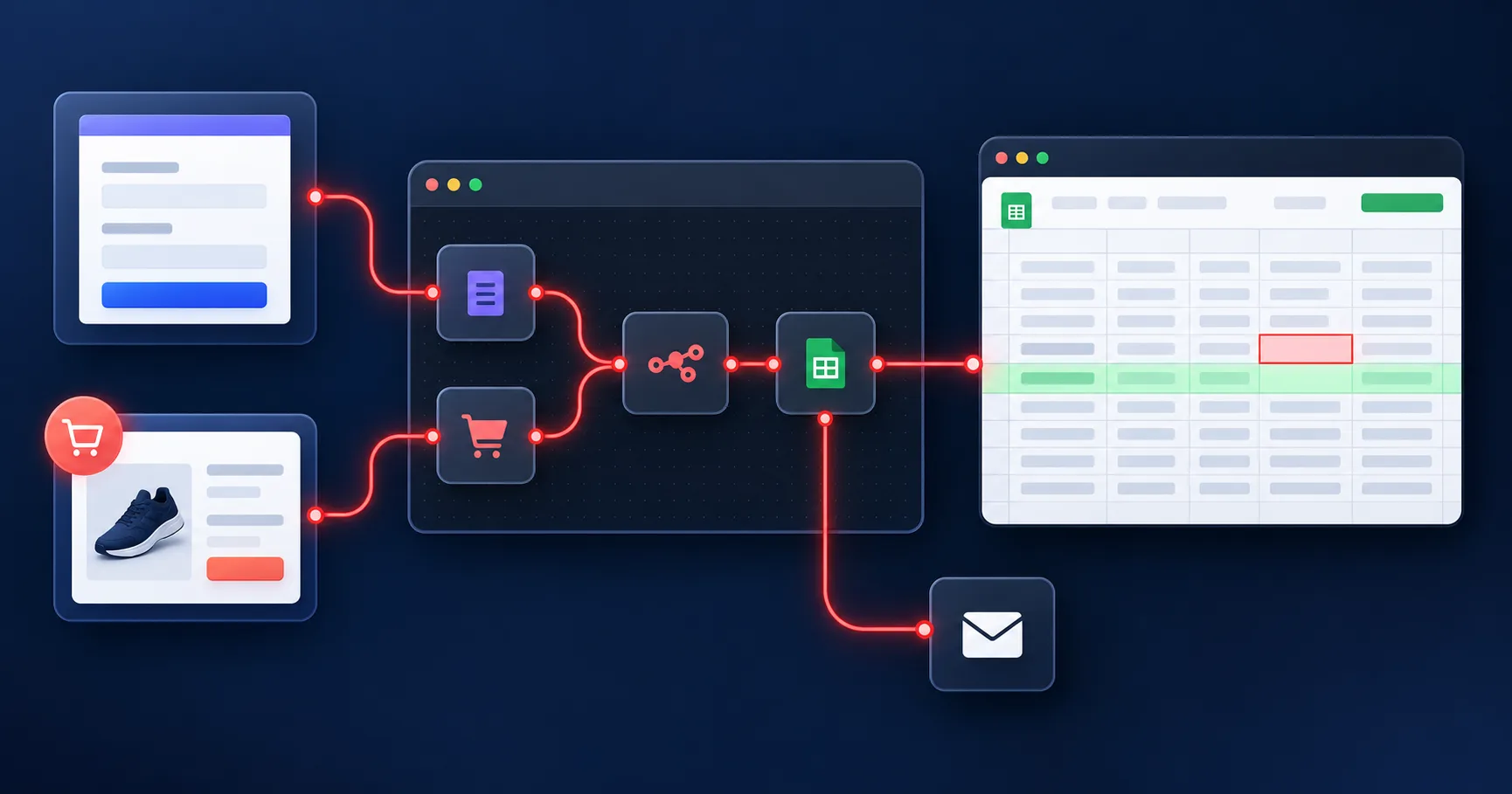
“When an order arrives, save its details, notify our team and send the customer a confirmation.”
Then add the details that affect capacity:
How many orders arrive during the busiest period?
What information does each order contain?
Does the workflow process files or only text?
How long does a typical execution take?
What other workflows run at the same time?
This gives your hosting provider something concrete to assess. A workflow count alone does not describe the amount of work a server must perform.
How much RAM does n8n need?#
There is no universal RAM requirement that guarantees reliable performance for every workflow.
Memory demand depends on the data being processed, the nodes involved and how many executions overlap. Large files and large collections of records can require substantially more memory than short text-based requests. n8n explains these factors in its official memory troubleshooting guide.
Use these questions when comparing plans:
Your workload | What to check |
|---|---|
Small scheduled API requests | Memory usage during a complete execution |
Several workflows running together | Combined memory demand during overlap |
Large spreadsheets or datasets | Whether processing can be divided into smaller batches |
Images, PDFs or other files | File sizes and how the workflow handles them |
A larger plan can provide more memory, but workflow design also matters. Processing smaller batches can reduce memory pressure.
Test the workflow with realistic data before relying on a plan for business operations.
How should you assess CPU capacity?#
Look at how execution time changes as your workload increases.
For an initial test, run a representative workflow on its own. Then test a small group of overlapping executions and compare completion times, errors and resource usage.
If processing slows down, identify which step is responsible before upgrading. Check whether the delay occurs during local processing, a database operation or a request to a connected service.
Ask your provider what CPU allocation the plan includes and whether other services share that allocation. This is particularly useful when running n8n alongside a website or database on the same VPS.
Daily execution totals do not tell the whole story#
Consider two hypothetical businesses, each processing 600 events per day.
One receives events steadily throughout the working day. The other receives 200 events shortly after a promotion goes live.
The second business needs to assess that burst, even though both have the same daily total.
Create a test that resembles your expected busy period. Decide how quickly the work must finish and whether some jobs can wait. An overnight reporting task and an immediate customer notification may have very different timing requirements.
This is a planning example, not a performance claim for a particular hosting package.
How much storage should you allow?#
Your storage requirements include more than the workflows themselves.
Saved execution data can cause the n8n database to grow. Depending on your configuration, retained files and other operational data may also consume space.
Decide how much history you actually need for troubleshooting. n8n supports controlling which execution data is saved and pruning older records. Its execution data documentation explains these settings.
Before ordering, ask:
What counts towards the plan’s storage allowance?
How long is execution history retained?
Where are uploaded or generated files stored?
Are backups stored separately?
What happens when storage approaches its limit?
Execution history and backups serve different purposes. Confirm both the retention settings and the recovery process.
When does queue mode become useful?#
Queue mode separates incoming workflow triggers from the workers that execute jobs. Redis coordinates queued work, and workers process the executions.
This can help with scaling, but it adds components that need resources and maintenance. More workers do not create unlimited processing capacity.
For workloads with frequent overlapping executions, ask your provider whether queue mode is appropriate and how the workers, database and Redis are provisioned. Review n8n’s queue mode documentation when planning this setup.
Do AI workflows need a bigger n8n server?#
First establish where the AI model runs.
If a workflow calls an external model service, the model performs its computation outside the n8n server. Your hosting still needs to handle the workflow’s requests, responses and other processing.
If you also want to run the model on your own infrastructure, assess its requirements separately. A hosting plan suitable for n8n should not automatically be treated as suitable for running a language model.
When discussing requirements with your provider, explain both the automation and the model setup.
Choosing n8n hosting in Bangladesh#
Once you understand your workload, compare the practical details of each plan:
Available RAM, CPU and storage.
Database and scaling options.
Backup retention and restoration.
Support scope and availability.
Billing period, renewal cost and upgrade process.
Confirm the server location if that matters to your business. A Bangladesh-based provider does not necessarily mean every service runs in a Bangladesh data centre.
SNBD Host offers managed n8n hosting in Bangladesh with different resource levels. Share your workflow requirements with the team so you can discuss a suitable starting plan.
A simple test before going live#
Use sample data to check four situations:
A normal execution.
Several executions arriving together.
The largest expected input.
A connected service returning an error.
Record completion times, failures and resource usage. Use those observations to adjust the workflow or hosting plan before expanding the automation.
The right hosting choice is one supported by your workload and testing. Start with clear requirements, monitor what happens and increase capacity as your needs grow.
Try n8n Free for 1 Month
Deploy your own n8n workflow automation instance in one click. No technical knowledge required. Our team manages everything.
Start Free TrialWritten by
Technical Support Dept.
Technical Support Dept is the tech backbone of SNBDHost, sharing clear, practical guides on hosting, performance, and security to help users keep their websites fast, stable, and secure.