How to transfer your domain without downtime
Transferring a domain sounds scary, but it doesn't have to be. With the right preparation, your site stays live the entire time. Here's exactly how to do it.

On this page
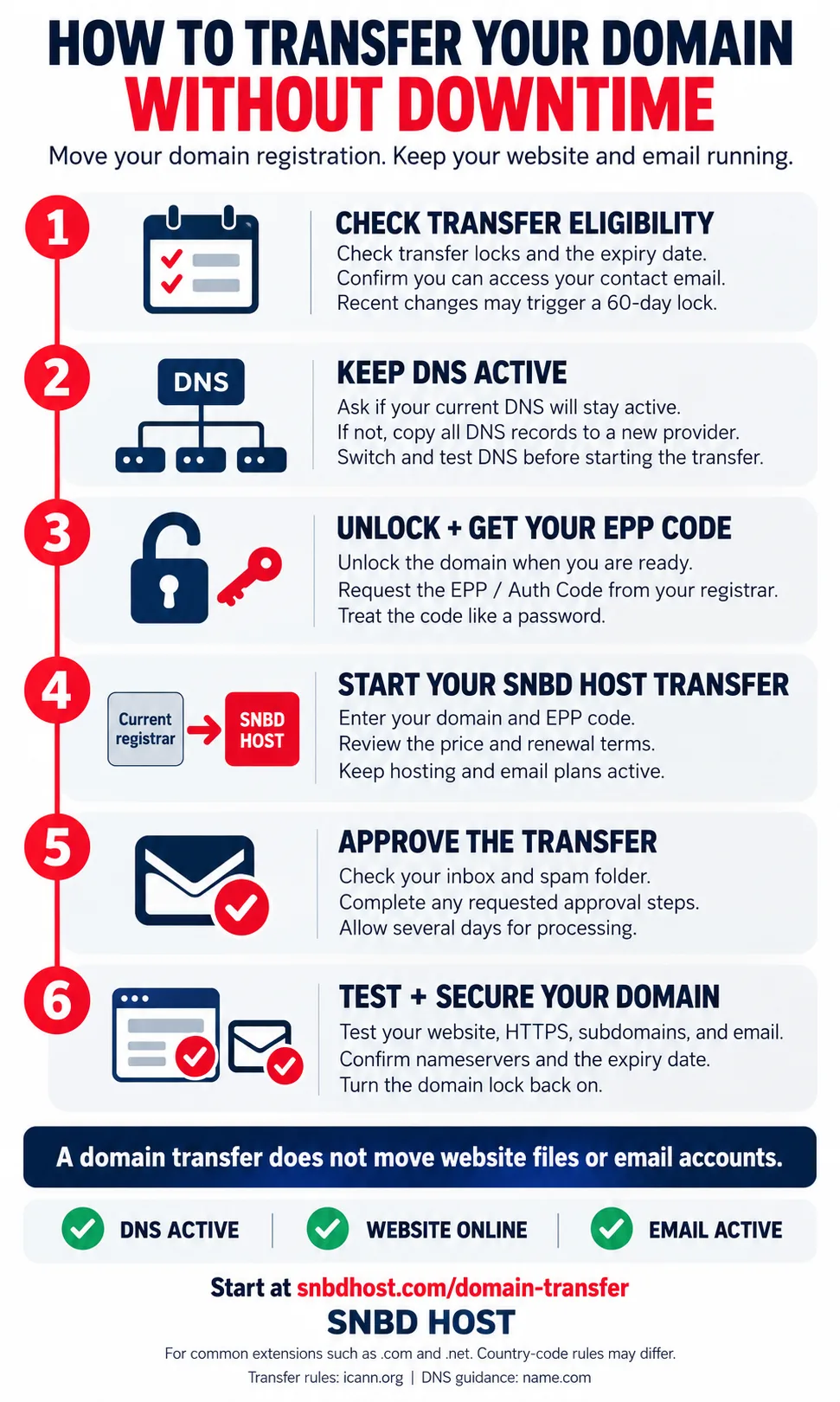
To transfer a domain, check its eligibility, keep your DNS service active, unlock the domain, request your EPP code, and submit the transfer to your new provider. Your website and email can keep working throughout the process if hosting and DNS remain active. This guide walks you through transferring your domain to SNBD HOST in six steps.
A domain transfer changes the company that manages your domain registration. It does not move your website files or email accounts.
Here’s how to prepare and avoid common problems.
1. Check if your domain can transfer#
Before you start, check these details with your current registrar—the company where you registered your domain:
Transfer restrictions: A recent registration, transfer, or owner contact change may trigger a 60-day lock.
Expiry date: Start early so you have time to fix delays before the domain expires.
Contact email: Make sure you can receive messages at the email address linked to your domain.
Avoid changing owner contact details just before moving, as this may trigger a new lock. See ICANN’s domain transfer guide for details.
This guide covers common extensions such as .com and .net. Country-code domains can have different rules.
2. Keep your DNS working#
DNS settings connect your domain to your website and email. Keeping them active is the main step in avoiding downtime.
Ask your current provider: Will my DNS service stay active after I transfer my domain?
If it will, you can usually keep your existing nameservers. A domain transfer does not automatically require new ones.
If the old provider will stop your DNS service, move DNS before starting the transfer. Copy all records to the new DNS provider, including:
A, AAAA, and CNAME records for your website and subdomains.
MX records for email delivery.
TXT records, including SPF, DKIM, and DMARC for email protection.
Any other records used by your services.
Then update your nameservers and confirm your website and email work before transferring. If DNSSEC is enabled, ask support to help with the move.
This DNS preparation guide explains why old registrar DNS services may stop after a transfer.
3. Unlock your domain and get the EPP code#
Log in to your current registrar’s account. Find the domain’s transfer settings and turn off the domain lock when you’re ready to begin.
Next, request your EPP code, also called an Auth Code or transfer code. Treat it like a password and share it only through the new provider’s secure transfer process.
Can’t find it? Contact your current registrar. ICANN explains how to request an Auth Code.
4. Start your transfer to SNBD HOST#
Open the SNBD HOST domain transfer page and follow the transfer instructions.
Have your domain name and EPP code ready. Before paying, review the transfer price, renewal terms, and any registration time included.
Keep your current hosting and email plans active throughout the move.
5. Follow the approval instructions#
Check your inbox and spam folder for transfer messages from your providers. Complete any approval steps they request.
Transfers may take several days. Your current registrar may offer an option to approve the release sooner. The five-day response window is not a required minimum waiting period. See ICANN’s transfer policy.
6. Check your domain after the transfer#
Once the transfer finishes:
Open your website and key subdomains.
Send and receive a test email.
Check that HTTPS works without certificate warnings.
Confirm your nameservers and expiry date.
Turn the domain lock back on and review auto-renewal.
If the transfer fails, check the domain lock and EPP code first. If your site or email stops working, check whether your DNS service is still active and the records are correct.
Ready to move? Start your domain transfer to SNBD HOST.
Some FAQs we got,#
Does transferring a domain move my website?#
No. A domain transfer changes the provider managing your domain registration. Your website files, databases, and email accounts stay with their existing providers unless you migrate them separately.
Do I need to change nameservers when transferring a domain?#
Usually not, provided your current DNS provider continues serving your records after the transfer. If DNS service will end, move your DNS records and verify your website and email before transferring.
How long does a domain transfer take?#
Transfers can take several days, depending on the domain extension, registrar, and approval process. Check the expected timeframe with both providers before starting.
Why is my domain transfer failing?#
Common causes include a transfer lock, an incorrect EPP code, or transfer restrictions following a recent registration, transfer, or ownership change. Ask your current registrar to identify the specific reason.
Written by
Yeamin Adib
Yeamin Adib is the founder of SNBD Host, building refined, reliable hosting and AI infrastructure, and sharing practical knowledge with creators and businesses from Kamloops, Canada.